Offline client book or online booking: which one fits
There are two different kinds of tools for a solo professional. An online booking service gives clients a public page where they pick a time themselves. A private client book is the diary you keep yourself, the way you would on paper. Pocket Client Book: Diary is the second kind. This page explains the difference plainly, including the cases where an online booking service is the better choice.
The difference in short
With online booking, the client is the one who creates the appointment, so the schedule has to live on a server that both of you can reach. With a private client book, you create every appointment, so the schedule can live on your own device and nowhere else. Almost every other difference follows from that.
Side by side
- Who writes the appointment down: with online booking, the client; in Pocket Client Book, you
- Where the data lives: with online booking, on the service's servers; in Pocket Client Book, in a database on your iPhone or iPad
- Account: an online booking service needs one; Pocket Client Book has no sign-up and no password
- Internet: online booking needs a connection; Pocket Client Book works with none
- Reminders: online services often send messages to clients automatically; Pocket Client Book reminds you and prepares the message, and you send it
- Team: online services are often built for several staff; Pocket Client Book is one person's calendar
When a private client book fits better
- Your clients already message or call you, and you agree on a time in the conversation
- You want to decide who gets which slot instead of opening your whole schedule to the public
- You do not want your client list and notes stored on someone else's server
- You work where the connection is poor or missing
- You work alone and do not need staff calendars or roles
When online booking is the better choice
A private client book is not the right tool for everyone. Choose an online booking service if any of these matter to you:
- Clients should be able to book at any hour without contacting you
- You need online payments, deposits or prepayments at the time of booking
- You want reminders to go out to clients automatically, without you pressing send
- Several people work from a shared schedule
- You need access from Android, Windows or a web browser
Pocket Client Book does none of these, by design. It runs on iPhone and iPad only.
What Pocket Client Book does instead
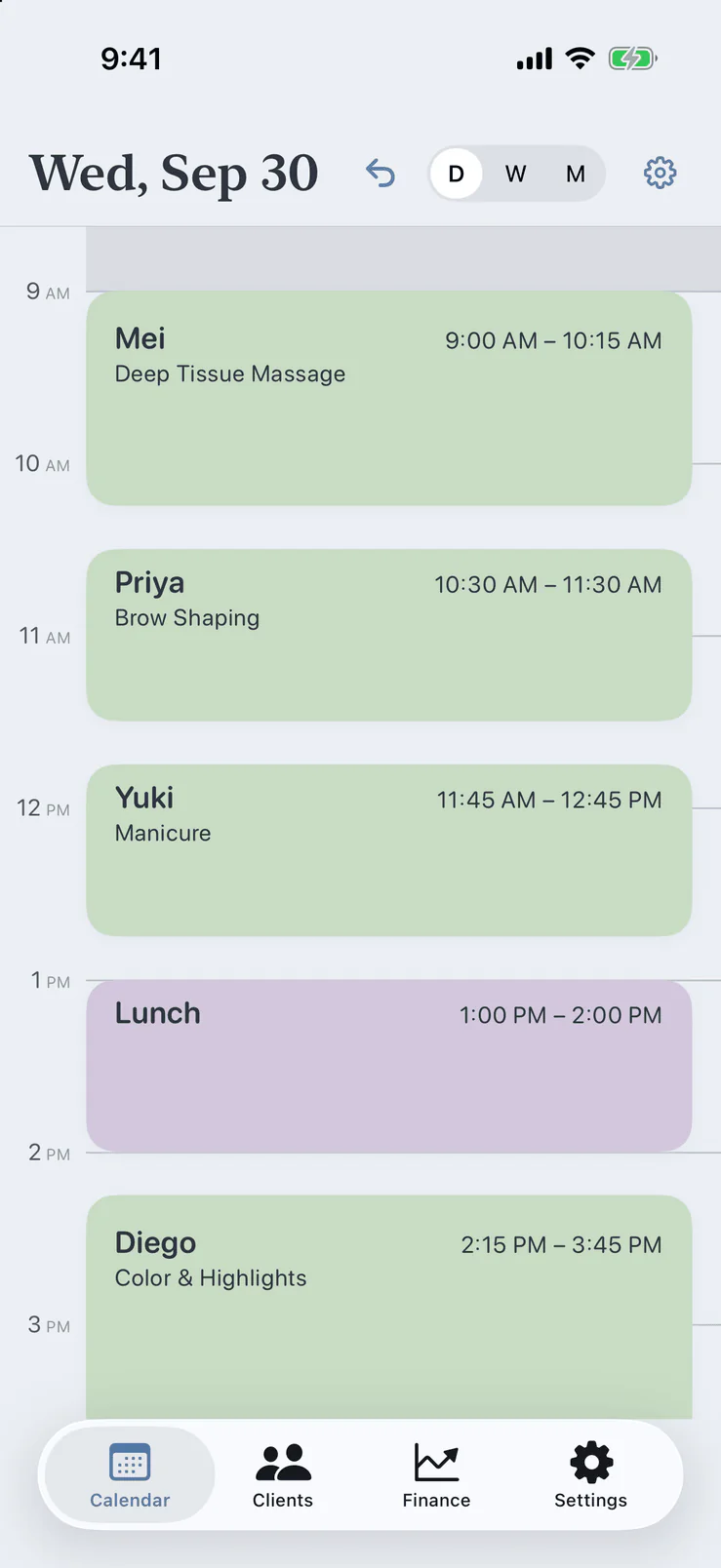
- Day, week and month calendar with working hours for each weekday and drag to reschedule in the day and week views
- Visits with several services, each with its own price and duration, and a warning when two bookings overlap
- Client cards with phone, birthday, messenger handles, colour tags, notes and visit history
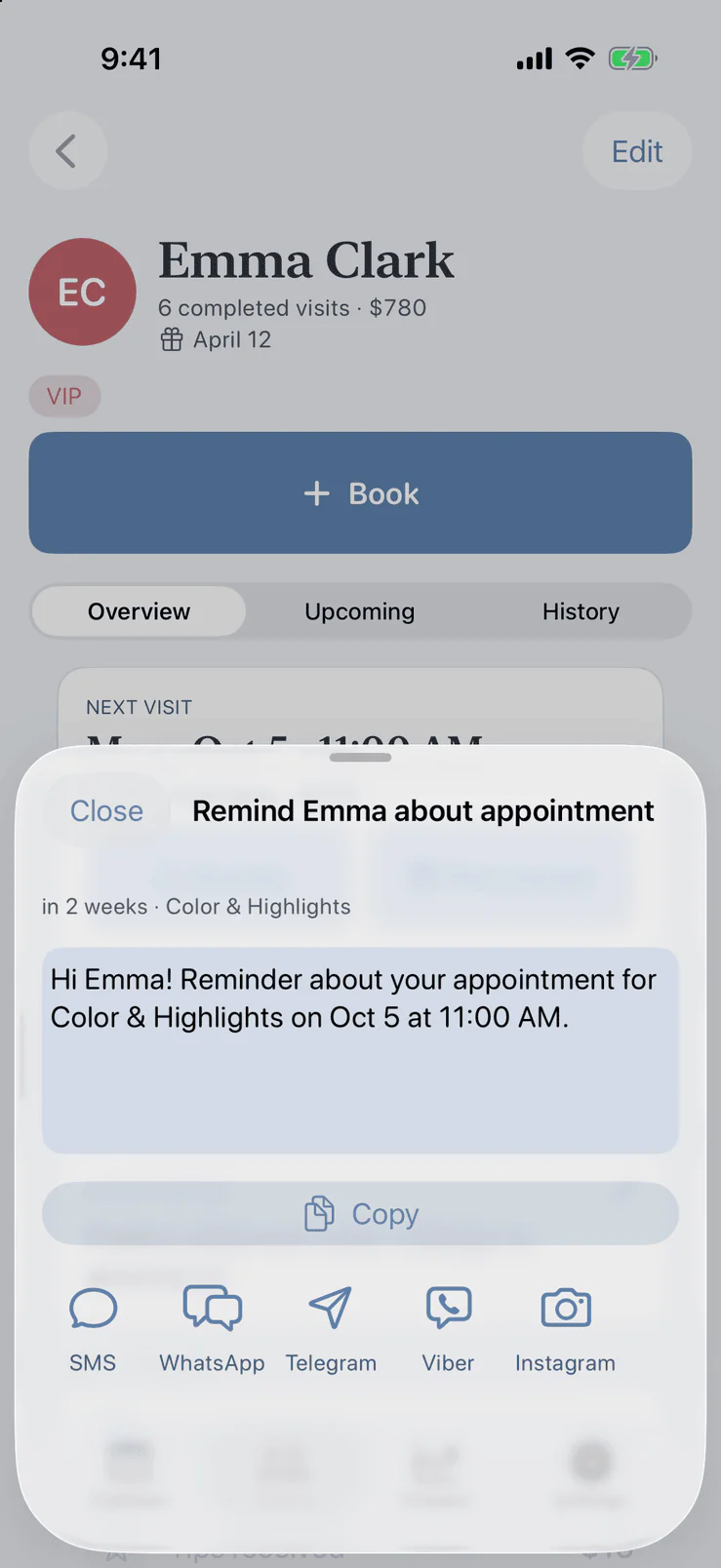
- A local notification before the visit and a ready-to-send message for SMS, WhatsApp, Telegram, Viber or Instagram
- Five statuses for a visit: booked, completed, pending payment, cancelled and no-show
- With PRO: a finance dashboard, expenses, a debtors list, a Home Screen widget, sync between your own devices through your iCloud, and backup
What it costs
The calendar, clients, services, tags and one reminder per appointment are free with no time limit. PRO costs $4.99 per month with a 14-day free introductory period, $29.99 per year, or $79.99 once for PRO Lifetime; all three unlock the same features. Prices are in USD, and the App Store charges the equivalent for your region.
Common questions
- Can clients book themselves in Pocket Client Book?
- No. There is no public booking page and no app for clients. You enter each appointment yourself after agreeing on the time with the client.
- Does the app send reminders to clients automatically?
- No. The app shows you a local notification and prepares the text. You open SMS, WhatsApp, Telegram, Viber or Instagram with one tap and press send yourself.
- Can I use it together with an online booking service?
- Yes, as your private record, but the two will not be connected. Pocket Client Book does not import appointments from other services, so you would enter them by hand.
- Is my client list uploaded anywhere?
- Not by us: the app has no server of ours and no account. The database stays on your device. If you turn on PRO sync or backup, the data goes to your own iCloud account, which we cannot see.
- Does it work without internet?
- Yes. The calendar, clients, services and reminders work with no connection. If you use PRO sync, changes made offline are sent once you are back online.
Keep your own client book
Calendar and clients are free on iPhone and iPad, with no account.